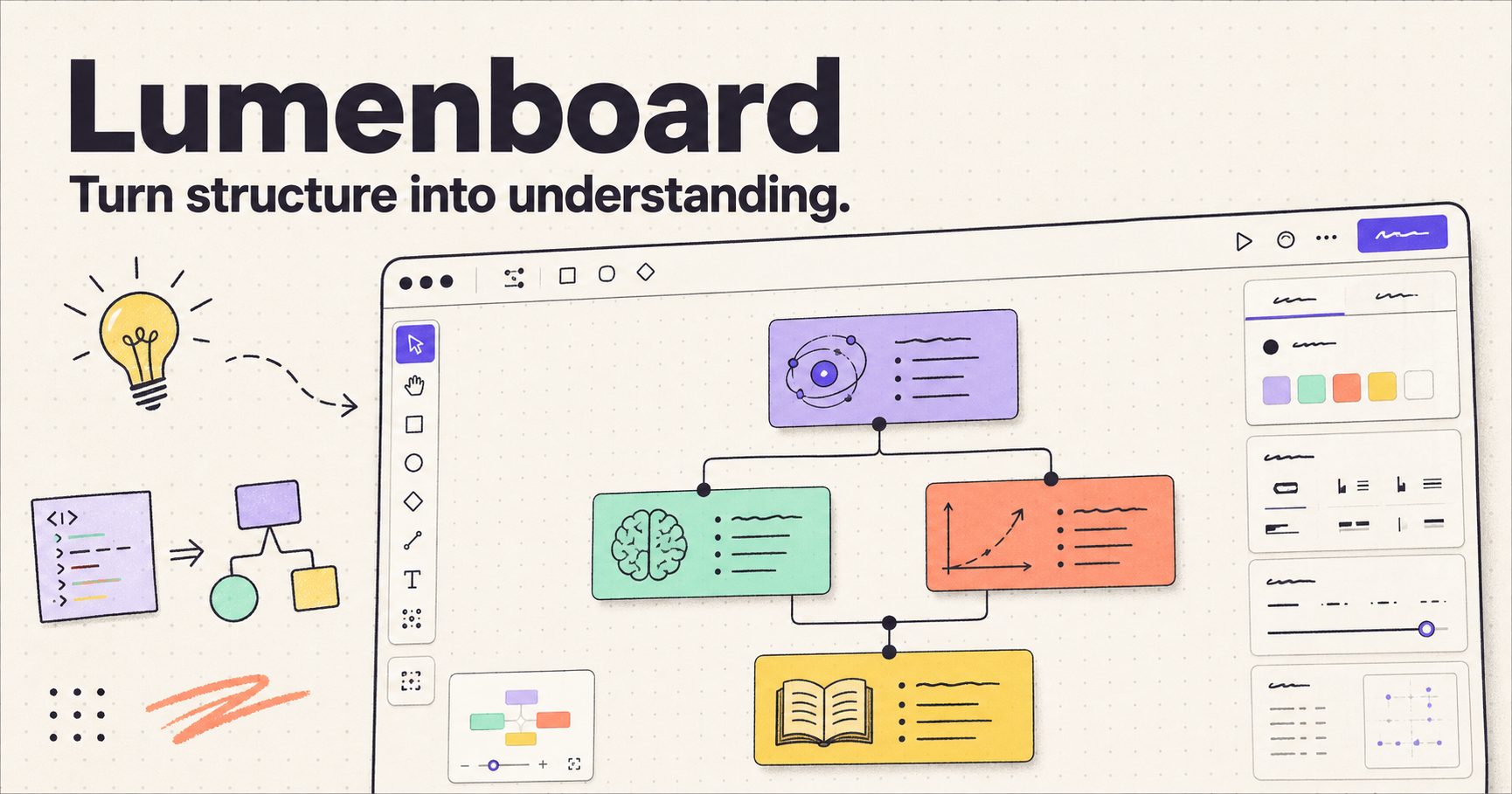
Explore Lumenboard Designer 1.0 Explore Applications
Lumenboard source-code diagram
BUILD IT YOUR WAY

Original Source Code

Want to use or customize the "Lumenboard Designer 1.0" original source code?

WhatsApp us by clicking the WhatsApp button below.

WhatsAppWhatsApp us to purchase source code

About Our Company

We build highly customized, ready-to-use desktop applications designed around your daily workflows. Our software helps small businesses and professionals move away from rigid, one-size-fits-all SaaS subscriptions.

Why choose us?

  • Tailor-Made Solutions: Get the exact features you need without the clutter of tools you do not use.
  • Zero Subscriptions: Move away from monthly fees with our true-ownership model.
  • Endless Customization: When your business grows, you can purchase our AI-ready source code, describe the new features you want to an AI, and update your app without coding skills.
  • Lower Starting Cost: We remove the expense of starting software development from scratch by delivering a fully developed project that is ready to use.

We turn your company problem into a software solution. Share your idea, and we develop it into a complete application that your team can use, customize, and grow with inside your company.

Old Model vs New Model

A quick visual story: move from renting rigid software to owning a desktop app that can grow with AI.

Old Model
Rigid SaaS tools
Monthly subscription fees
Limited feature changes
New Model
Custom desktop app
True ownership
AI-updated source code
Old Model

Generic SaaS Subscription

  • Rigid features that force you to adapt your workflow
  • Monthly fees that keep adding up over time
  • Limited control over future changes
  • Extra development costs for every upgrade
New Model

Custom AI-Ready Desktop App

  • Built around your exact daily workflow
  • True ownership with no subscription lock-in
  • Source code you can extend later with AI
  • Faster upgrades without needing coding skills

Run It Locally. Own It Fully.

Our goal is to give your business software you can actually own, run, and control. In the future, you can ask to host locally your updated AI-generated code under your own company and let your team download and run it on company laptops.

Built for restricted company environments: the software can run locally in a web browser, so it is useful when external websites, cloud tools, or outside services are limited by company policy.

Why this helps your team

  • Local-first operation: run the software directly on the laptop or on a private internal setup without depending on external cloud hosting.
  • No external database server for daily work: the app can save data locally, making it easier to use in office environments.
  • Simple company sharing: you can share small source-code packages or update files with other people in the company.
  • Future-ready ownership: when you need new features, you can use AI to generate updates and keep growing your own software instead of relying on a vendor.

In short: you get a practical internal business tool today, and a path to building your own company software tomorrow.

How It Works

A simple flow that shows how source code becomes a working product your team can use, host, and control.

1

Purchase Source Code

Buy the source code so you own the starting point of your software.

2

Use Your LLM Provider

Describe the changes you want to your preferred AI or LLM provider.

3

Apply the Changes

Generate and update the source code with the features your business needs.

4

Get the Desired Software

Run a version that matches your workflow instead of forcing your team to adapt.

Option 1: Use Locally

Run it inside your company environment and keep sensitive work away from external cloud systems.

Option 2: Host on Cloud

Host it online if you want customer access, subscriptions, or paid external deployment.

Local company use: the same software can be used inside your office without relying on outside tools, reducing data exposure concerns from external access paths.

Available Applications

Lumenboard Designer icon

Lumenboard Designer 1.0

A free Windows desktop workspace for visual learning, diagramming, code visualization and teaching.

Free Download

Future applications

More Applications

More useful applications will be shared here soon. Visit this page again for new releases.

Stay Connected

Lumenboard - Download Notice

Lumenboard Designer 1.0 is free to download. Before installing, please make sure your Windows computer has Node.js version 22.13 or newer.

If you want to apply your logic to source code using any LLM provider, please purchase the source code from us at a cheap price. Email us at supportsourcecode@gmail.com or visit our website: https://supportsourcecode.github.io/

LUMENBOARD RUNNING INSTRUCTIONS

Prerequisite

Install Node.js version 22.13 or newer.

Check your installed versions in Command Prompt (CMD) or PowerShell:

node --version
npm --version

If double-clicking the icon does not start the local server, manually start the application from any drive (C:, D:, etc.) as follows:

  1. Install the application to your preferred path (for example, D:\Lumenboard Designer_1.0).
  2. Open Command Prompt (CMD) or PowerShell.
  3. Go to the resources\app folder inside the installed directory:
    cd "D:\Lumenboard Designer_1.0\resources\app"
  4. Start the server and keep this window open while you use Lumenboard:
    npm run dev
  5. Wait until the server reports that it is ready.
  6. Open your browser and navigate to http://localhost:3000 to use the application with full access.
  7. Close the Command Prompt or press Ctrl+C when you are finished.
Download Lumenboard Designer 1.0

Node.js Setup: If you do not have Node.js version 22.13 or newer installed, please download the Windows installer below:

Download Node.js v22.20.0 (x64)
Windows 10 / 11Supported system
Node.js 22.13+Required version
FreeDownload and use

Lumenboard Payment Notice

Choose the payment option that applies to you, then follow the steps below so we can verify your request and deliver the product safely.

For customers in India

Pay using UPI

Send your payment to this UPI ID:

7903933705@ybl
For customers outside India

Pay using PayPal

PayPal payment is coming soon.

What to do after payment

  1. Contact us: Click the WhatsApp button below the product you want to purchase, such as Lumenboard, and send your request.
  2. Wait for our reply: We will respond to you through WhatsApp.
  3. Verify the seller: After we reply, we can have a short WhatsApp call so you can confirm that you are speaking with the real person behind the product.
  4. Complete the purchase: After the discussion, complete the payment using the available payment option.
  5. Receive the source code: Once payment is confirmed, we will provide the purchased source code or product access.
  6. Get support: We will share a whatsapp group link for future questions and support.
  7. Receive product guidance: We will send the relevant product YouTube link to your WhatsApp so you can learn how to use the product.

Lumenboard - Product Architecture

Explore the complete software architecture of our products. Below is the system design and architecture diagram for Lumenboard, illustrating its components and flow.
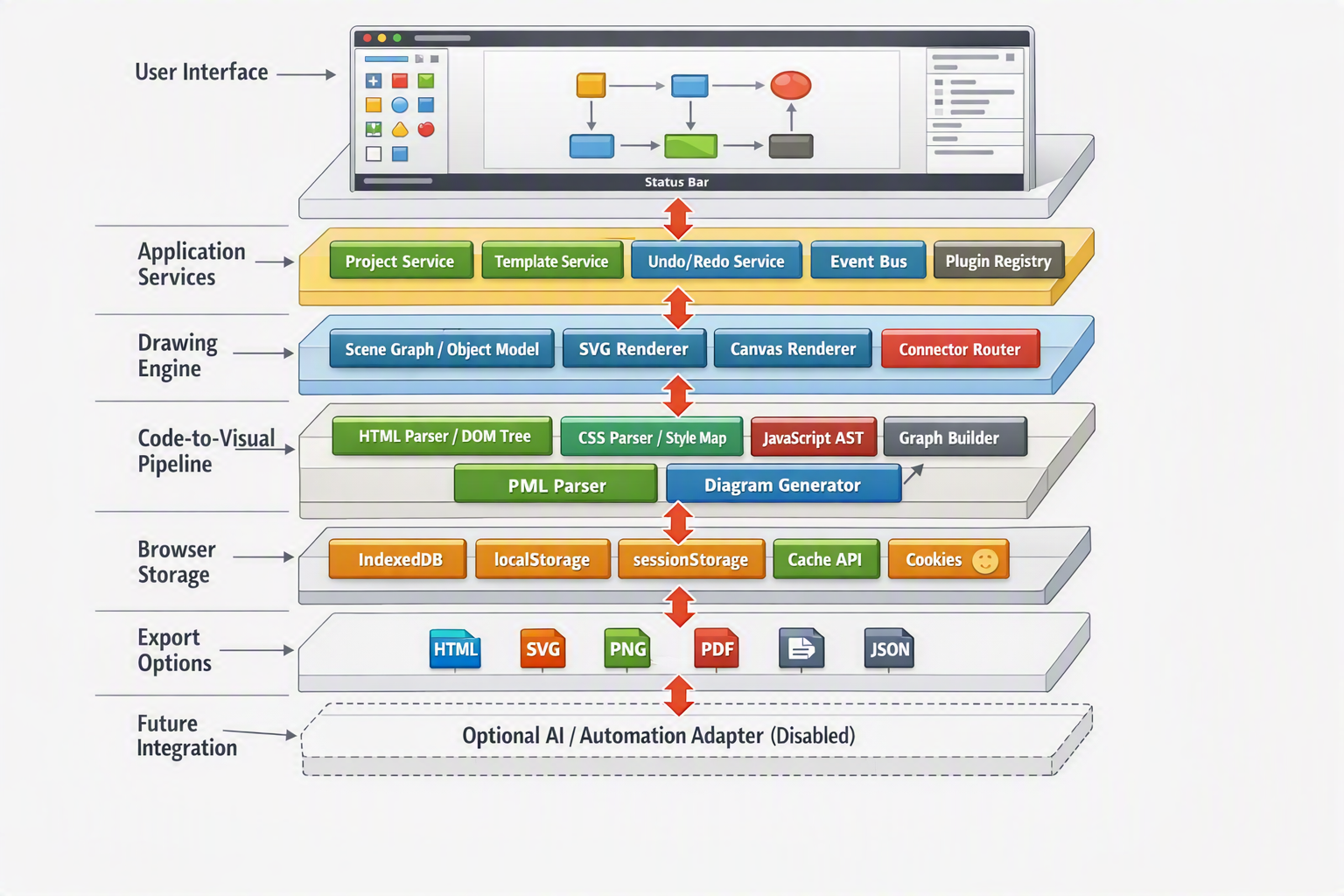

Lumenboard Architecture Diagram

Connect With Us

WhatsApp